ServiceNow
Integrating ServiceNow with the AI SRE Agent automates ITSM workflows by linking observability insights with incident and change management. The agent detects issues, creates enriched incidents, triggers approved remediation, and updates ticket states. This automation reduces manual effort, speeds up resolution, and preserves ServiceNow as the system of record.
This topic describes how to integrate GCP service account with the AI SRE Agent.
Configure ServiceNow Without Existing Credentials
-
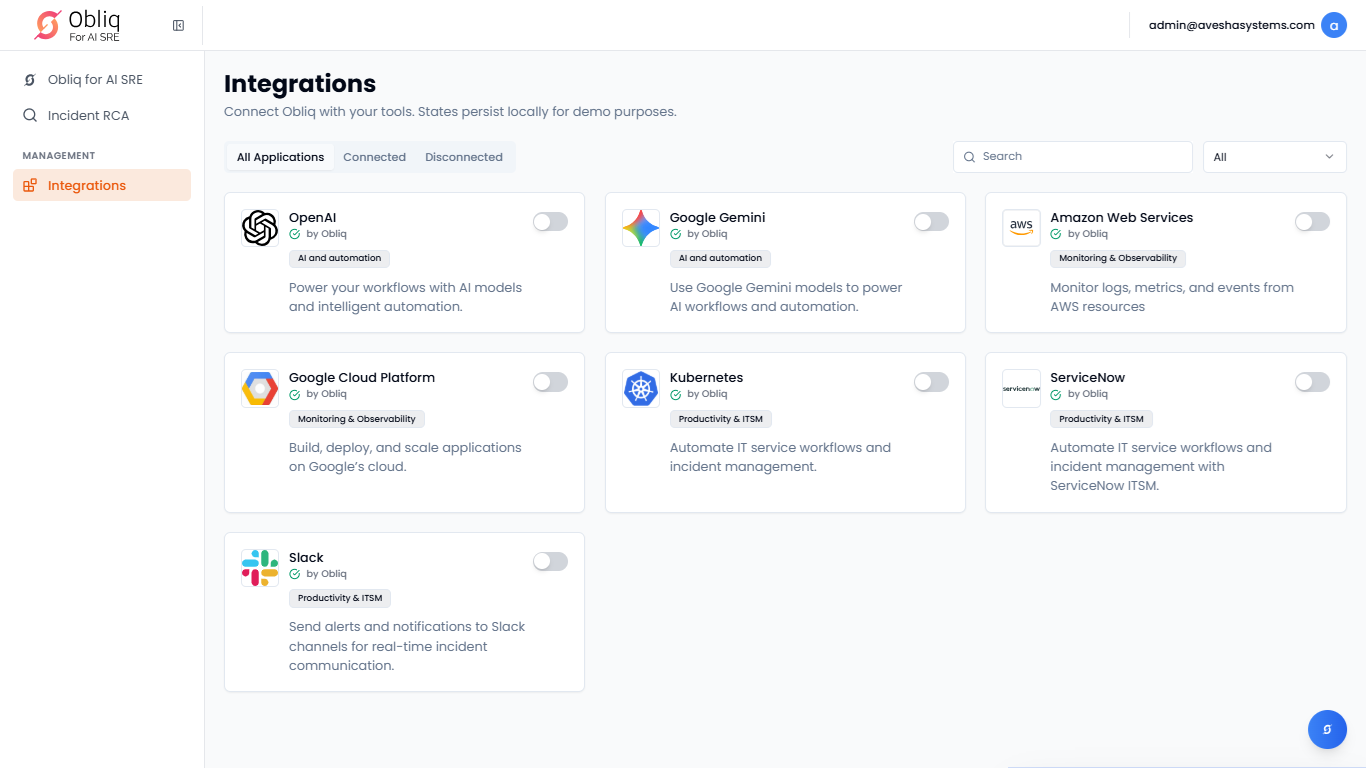
Go to Integrations on the left sidebar.
-
On the Integrations page, click ServiceNow.
-
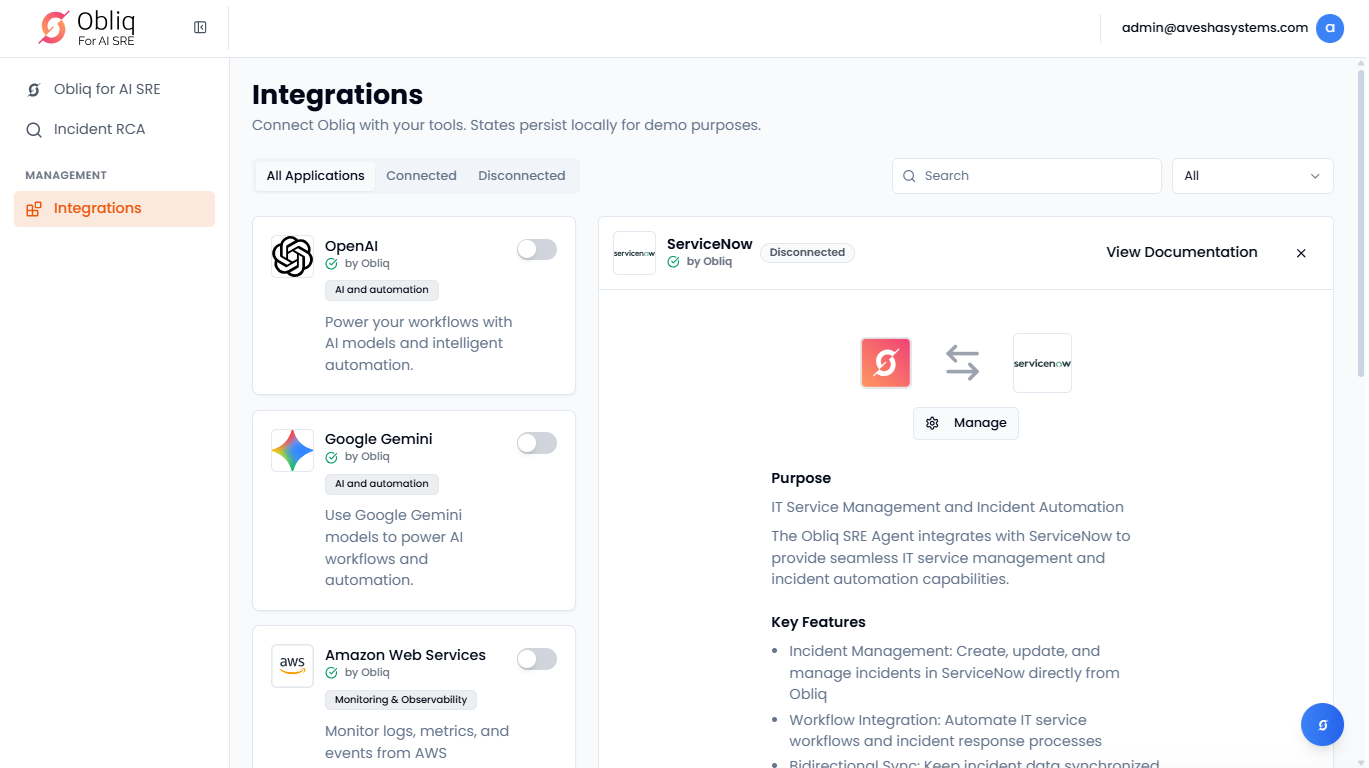
On the ServiceNow page, click Manage.
-
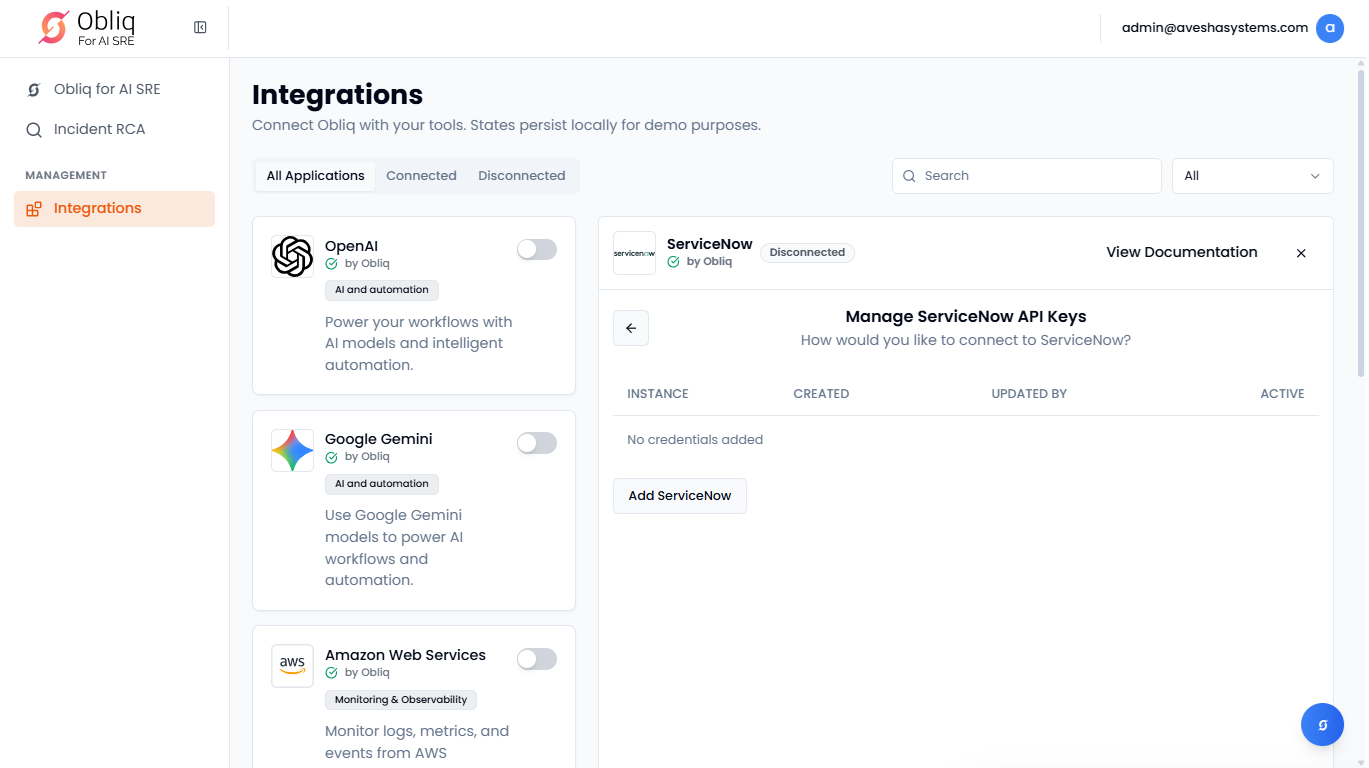
On the Manage ServiceNow API Keys page, click Add ServiceNow.
-
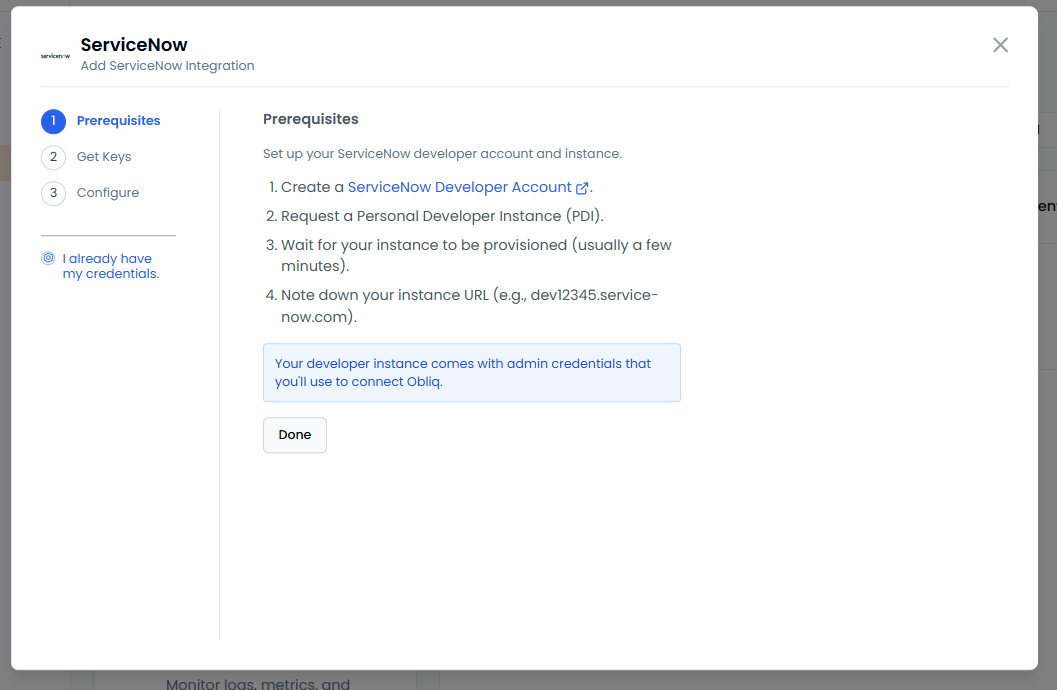
On the ServiceNow pane, the left sidebar lists the steps required for you to do before configuration. By default, you are in the first step, Prerequisites.
-
Under Prerequisites, view the requirements and set them.
-
Click Done to proceed to Get Keys.
-
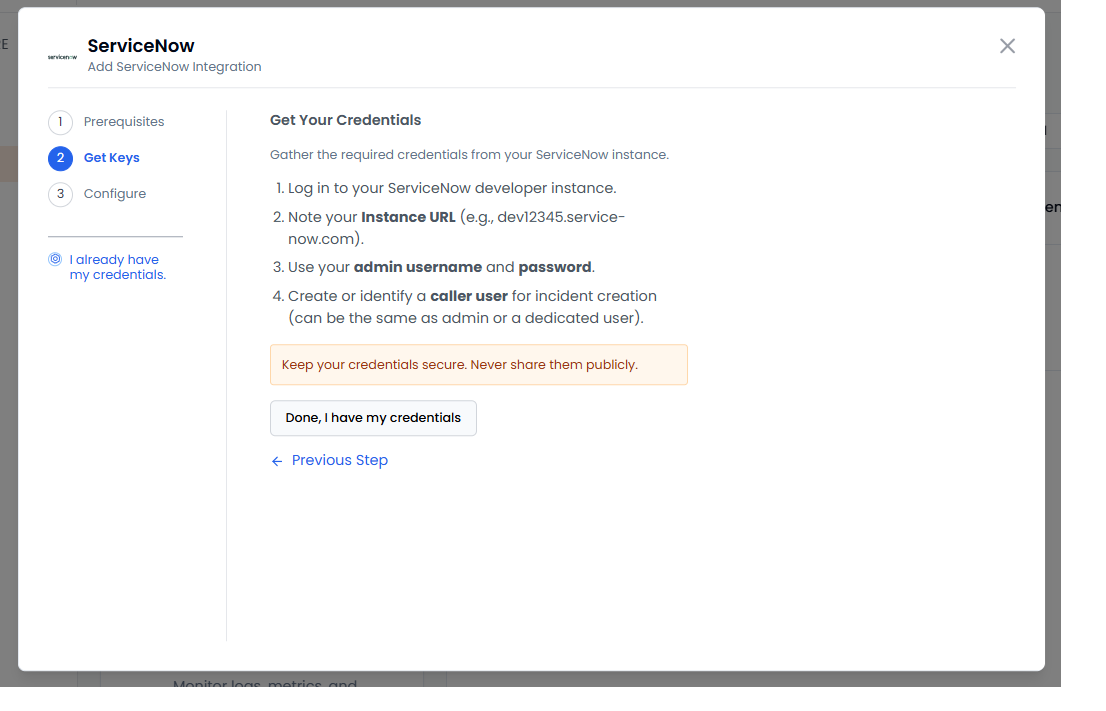
Under Get Your Credentials, follow the steps to get your credentials from your ServiceNow instance.
-
Secure your credentials that are required for configuration. Click Done, I have my credentials to proceed to Configure.
-
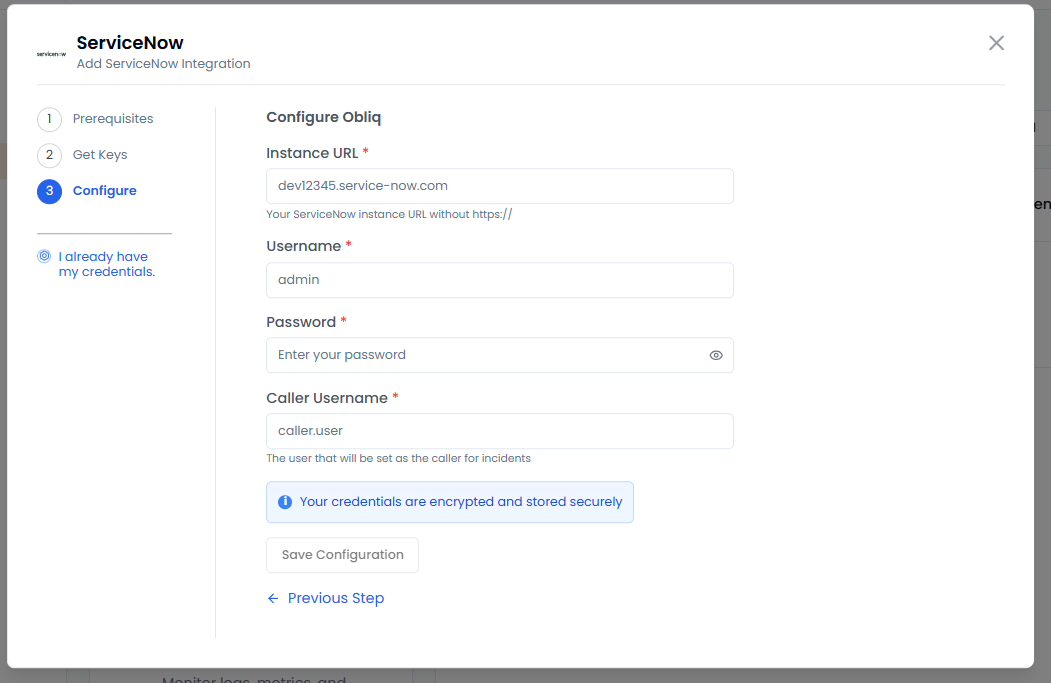
Under Configure Obliq:
-
Enter your ServiceNow instance URL in the Instance URL text box.
-
Enter your ServiceNow username in the Username text box.
-
Enter your ServiceNow password in the Password text box.
-
Enter the user, who will be set as the caller for incidents in the Caller Username text box.
infoAll your credentials are encrypted and stored securely.
-
Click Save Configuration to add your ServiceNow integration.
-
Configure ServiceNow With Existing Credentials
-
Go to Integrations on the left sidebar.
-
On the Integrations page, click ServiceNow.
-
On the ServiceNow page, click Manage.
-
On the Manage ServiceNow API Keys page, click Add ServiceNow.
-
On the ServiceNow pane, on the left sidebar, click I already have my credentials.
-
Under Configure Obliq:
-
Enter your ServiceNow instance URL in the Instance URL text box.
-
Enter your ServiceNow username in the Username text box.
-
Enter your ServiceNow password in the Password text box.
-
Enter the user, who will be set as the caller for incidents in the Caller Username text box.
infoAll your credentials are encrypted and stored securely.
-
Click Save Configuration to add your ServiceNow integration.
-