EGS Registration
This topic describes the steps to register with Avesha to obtain a license. A valid license is required to install EGS.
How to Register
To get a trial license, you must register with Avesha.
To register:
-
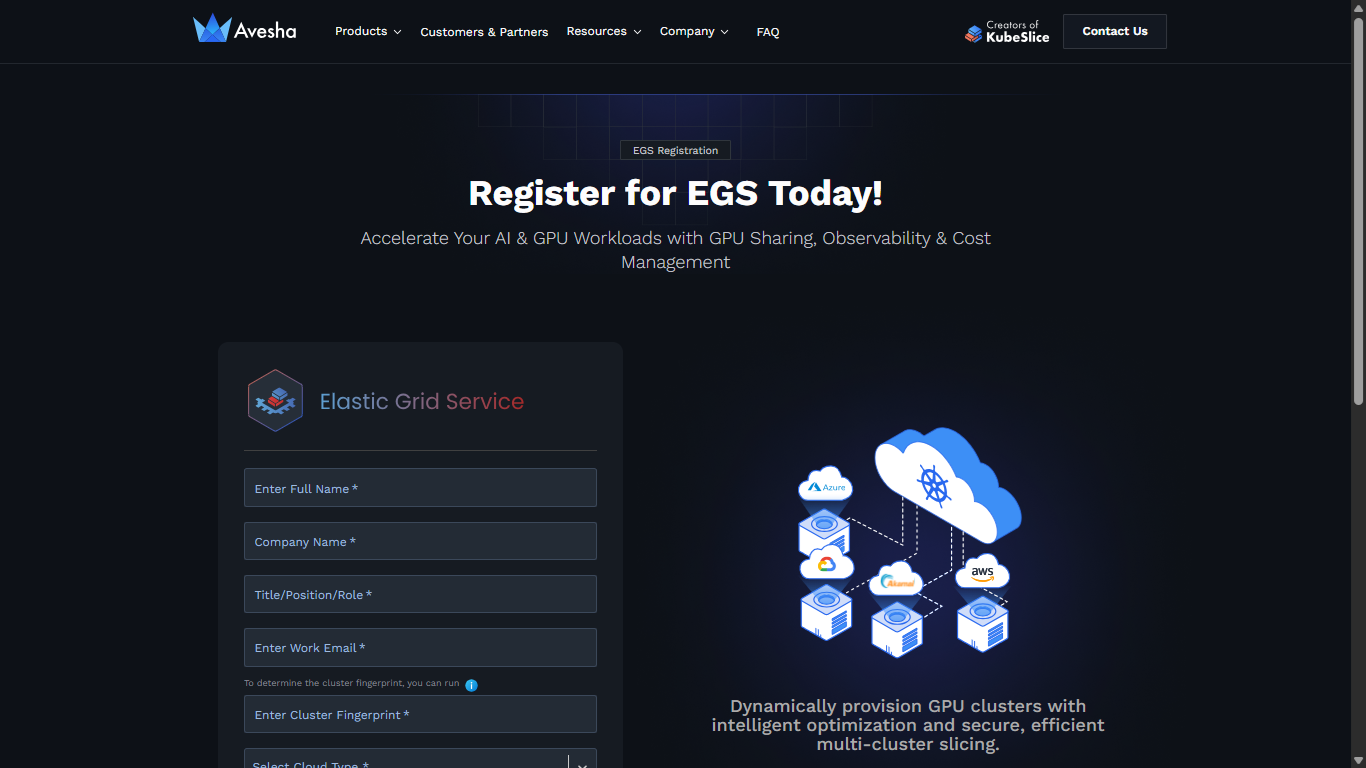
Go to https://avesha.io/egs-registration.
-
On the registration page, enter the following:
-
For Full Name, enter your name.
-
For Company, enter the name of your company.
-
For Title/Position/Role, enter your designation in the company.
-
For Work Email, enter your official email address.
-
For Cluster Fingerprint, enter your cluster fingerprint. You can run the command that is provided as a tool tip above this text field to determine the cluster fingerprint. Use the following command:
kubectl get namespace kube-system -o=jsonpath='{.metadata.creationTimestamp}{.metadata.uid}{"\n"}'This command generates a unique identifier based on your cluster's kube-system namespace creation timestamp and UID, which serves as the cluster fingerprint for license registration.
-
For Select Cloud Type, select the cloud location from the drop-down list.
-
-
Review the Terms and Conditions and check the box to accept.
-
Click Register.
Retrieve Your License
After registration, Avesha processes your license request and sends the license file to your registered email address. An expected delivery time is, within 5 minutes of registration.
You will receive an email from the Avesha team (avesha@avesha.io) with the subject line Your Elastic Grid Service License. The email contains:
- Welcome message explaining the EGS platform capabilities
- Installation guidance directing you to EGS documentation
- License file attachment named
egs-license.yaml - Support information with contact details at
support@avesha.iofor any assistance