Slack
Integrating Slack with the AI SRE Agent enables real-time operational collaboration by delivering alerts, incident updates, and diagnostic insights directly into Slack channels. The agent can respond to queries, summarize issues, trigger approved remediation actions, and provide context from observability data, all within Slack. This integration helps teams resolve issues faster, reduces context switching, and supports streamlined, chat-driven incident management.
Configure Slack Without Existing Tokens
-
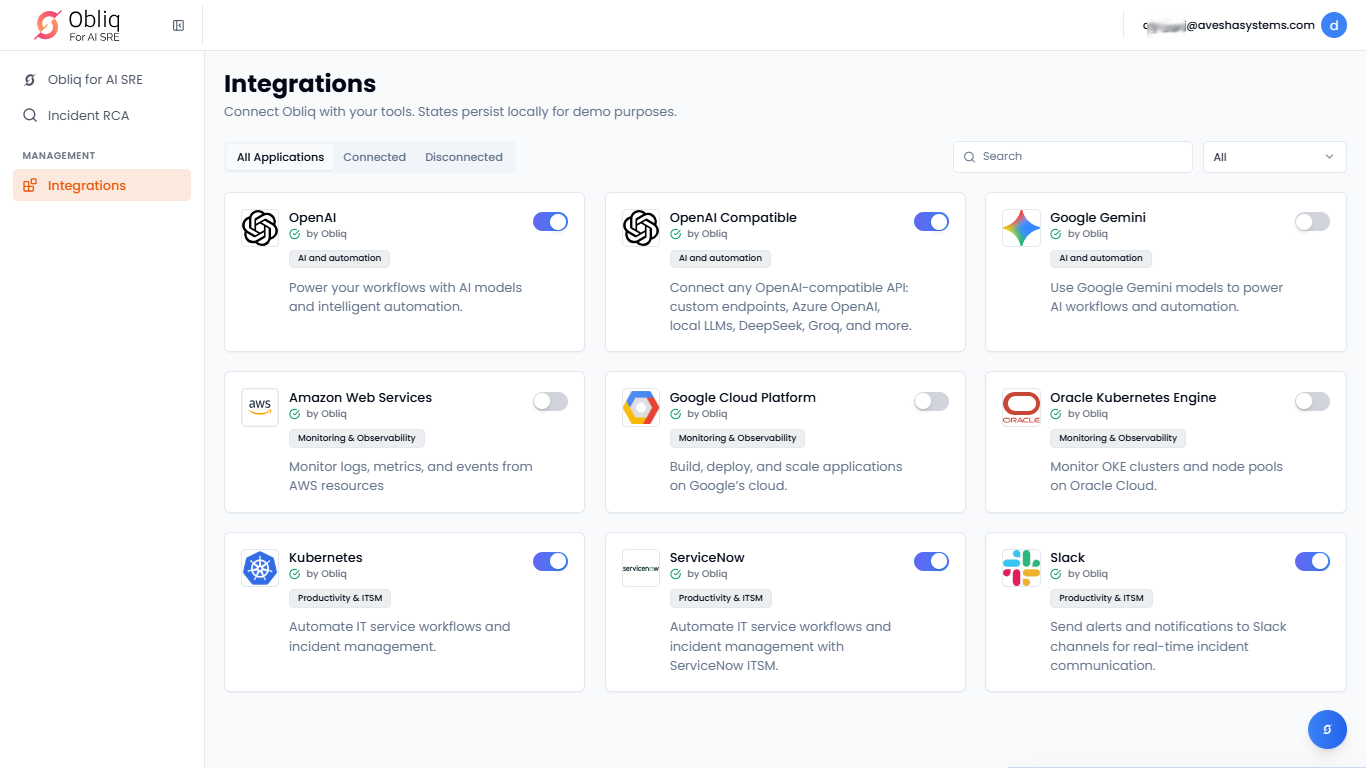
Go to Integrations on the left sidebar.
-
On the Integrations page, click ServiceNow.
-
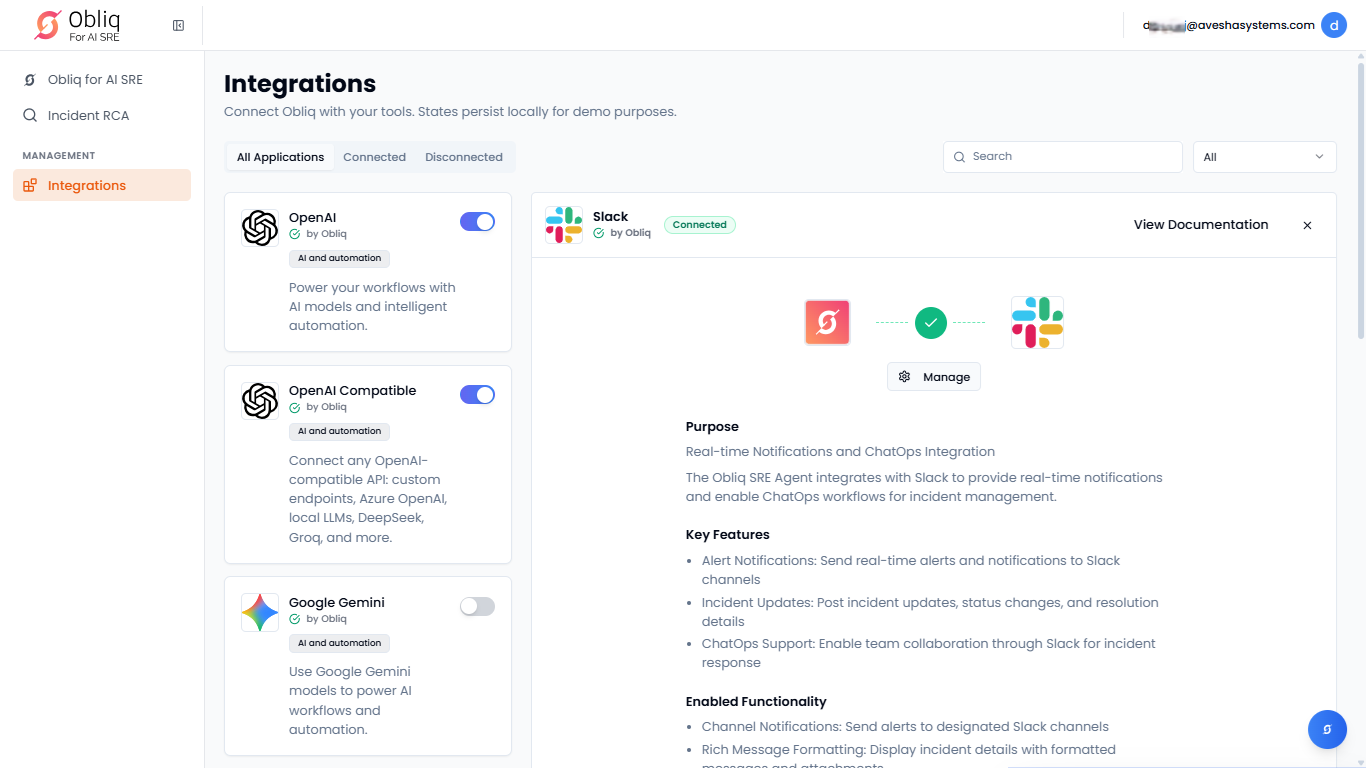
On the Slack page, click Manage.
-
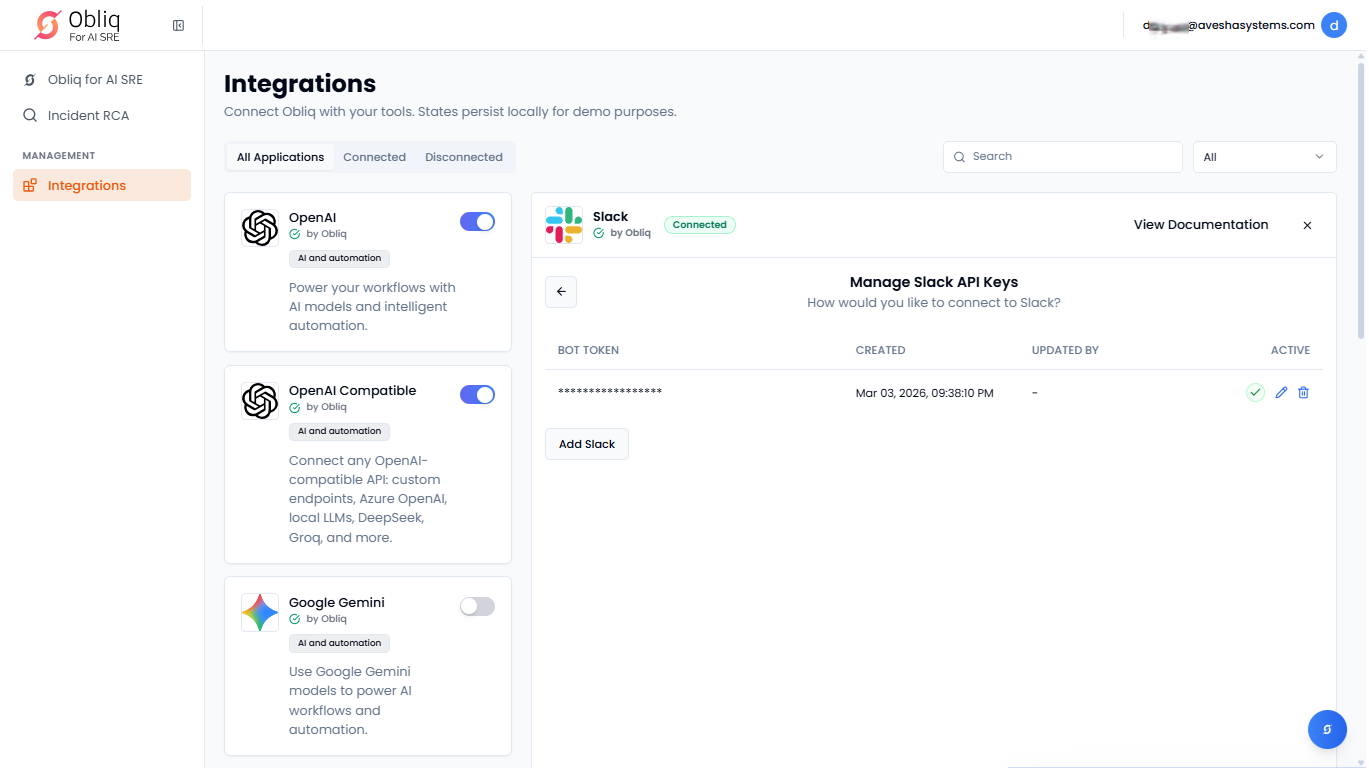
On the Manage Slack API Keys page, click Add Slack.
-
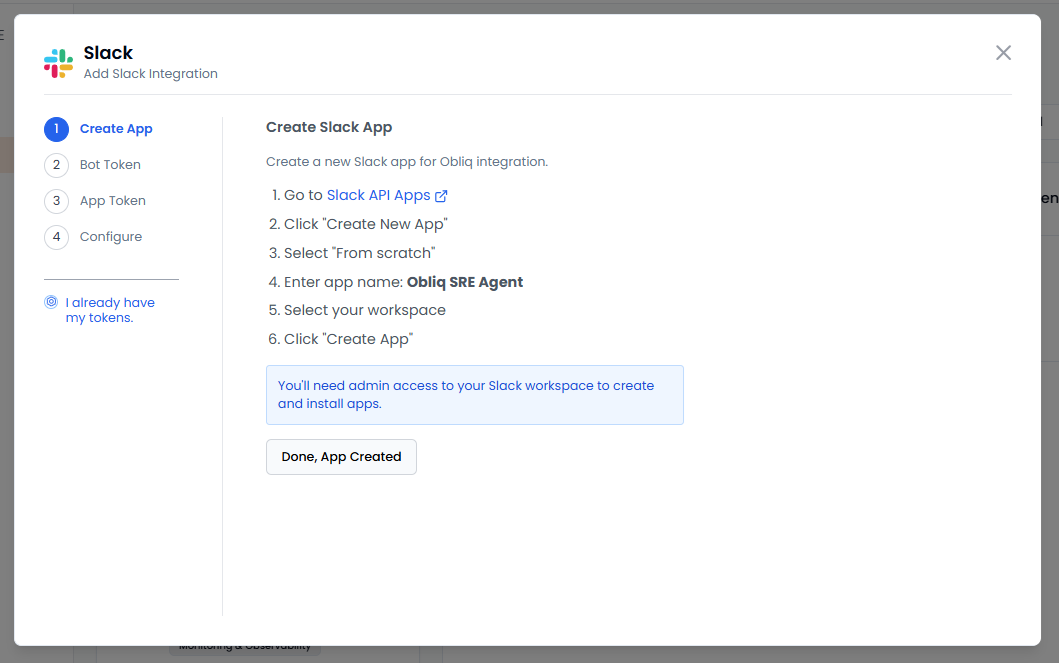
On the Slack pane, the left sidebar lists the steps required for you to do before configuration. By default, you are in the first step, Create App.
-
Under Create App, follow the steps to create a Slack app for integration on Slack API Apps.
-
After creating a Slack app, click Done, App Created to proceed to Bot Token.
-
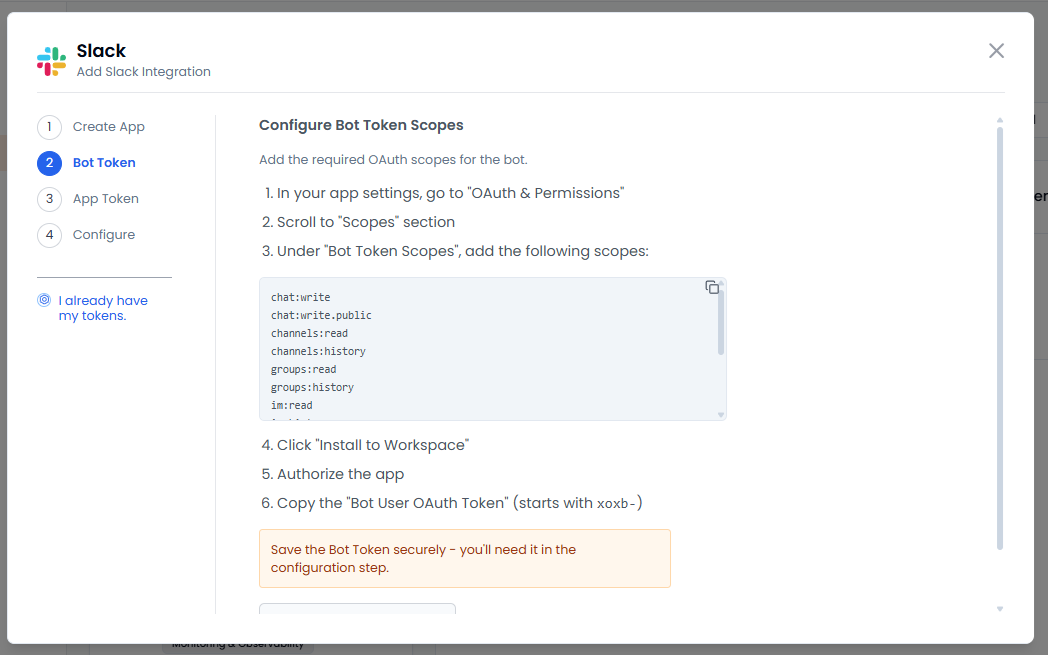
Under Configure Bot Token Scopes, follow the steps to add required OAuth scopes for the bot.
-
Save the bot token to use it in configuration.
-
Click Done, I have the Bot Token to proceed to App Token.
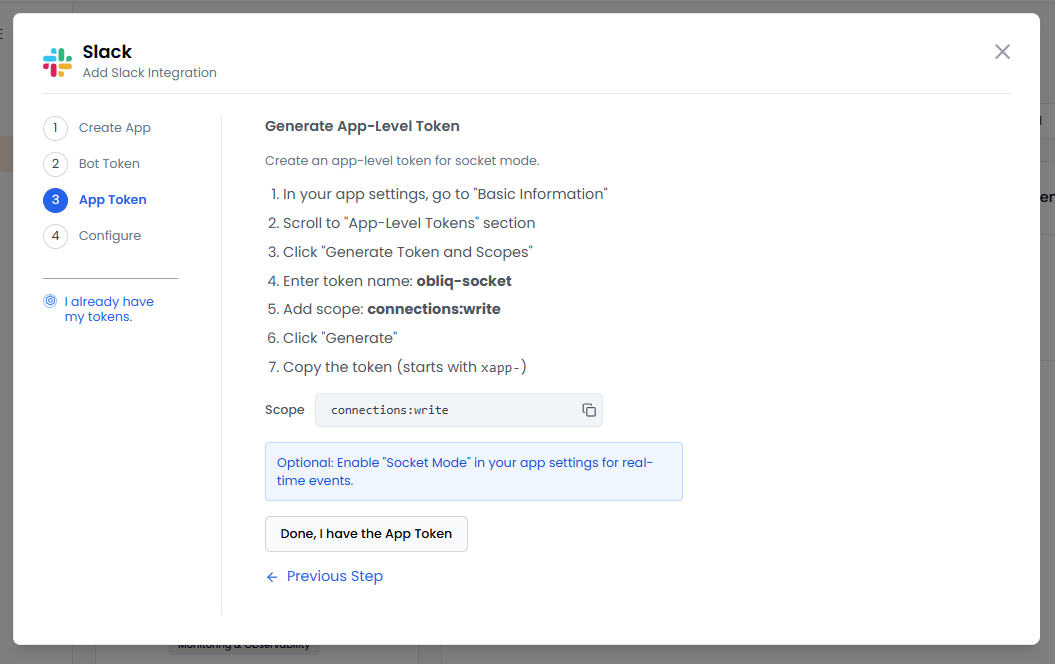
- Under Generate App-Level Token, follow the steps to create an app-level token for socket mode.
-
[Optional] Enable Socket Mode in your app settings for real-time events.
-
Copy the app-level token to use it in configuration.
-
Click Done, I have the App Token to proceed to Configure.
-
Under Configure Obliq:
-
Enter the Bot token copied earlier in the Bot Token text box.
-
Enter the app-level token copied earlier in the App Token text box.
-
Enter your Slack Channel ID for notifications in the Default Channel ID text box.
To get the Slack channel ID, right-click the channel, click View channel details and copy ID that is at the bottom of the Slack channel details pane.
infoAll your credentials are encrypted and stored securely.
-
Click Save Configuration to add the Slack integration.
-
Configure Slack With Tokens
-
Go to Integrations on the left sidebar.
-
On the Integrations page, click ServiceNow.
-
On the Slack page, click Manage.
-
On the Manage Slack API Keys page, click Add Slack.
-
On the Slack pane, in the left sidebar, click I already have my tokens.
-
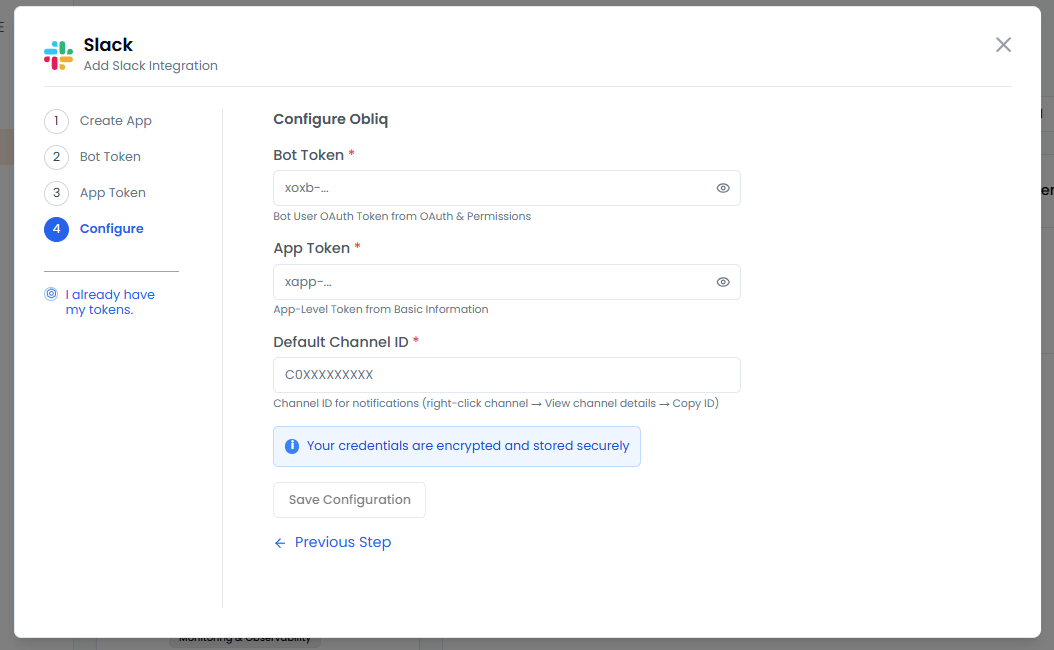
Under Configure Obliq:
-
Enter the Bot token copied earlier in the Bot Token text box.
-
Enter the app-level token copied earlier in the App Token text box.
-
Enter your Slack Channel ID for notifications in the Default Channel ID text box.
To get the Slack channel ID, right-click the channel, click View channel details and copy ID that is at the bottom of the Slack channel details pane.
infoAll your credentials are encrypted and stored securely.
-
Click Save Configuration to add the Slack integration.
-