Kubernetes
Most production systems today run on Kubernetes, managing containerized applications, scaling, and deployments. Integrating the Obliq AI SRE Agent with Kubernetes allows the agent to observe, analyze, and act directly within an ecosystem.
Configure Without an Existing KubeConfig File
-
Go to Integrations on the left sidebar.
-
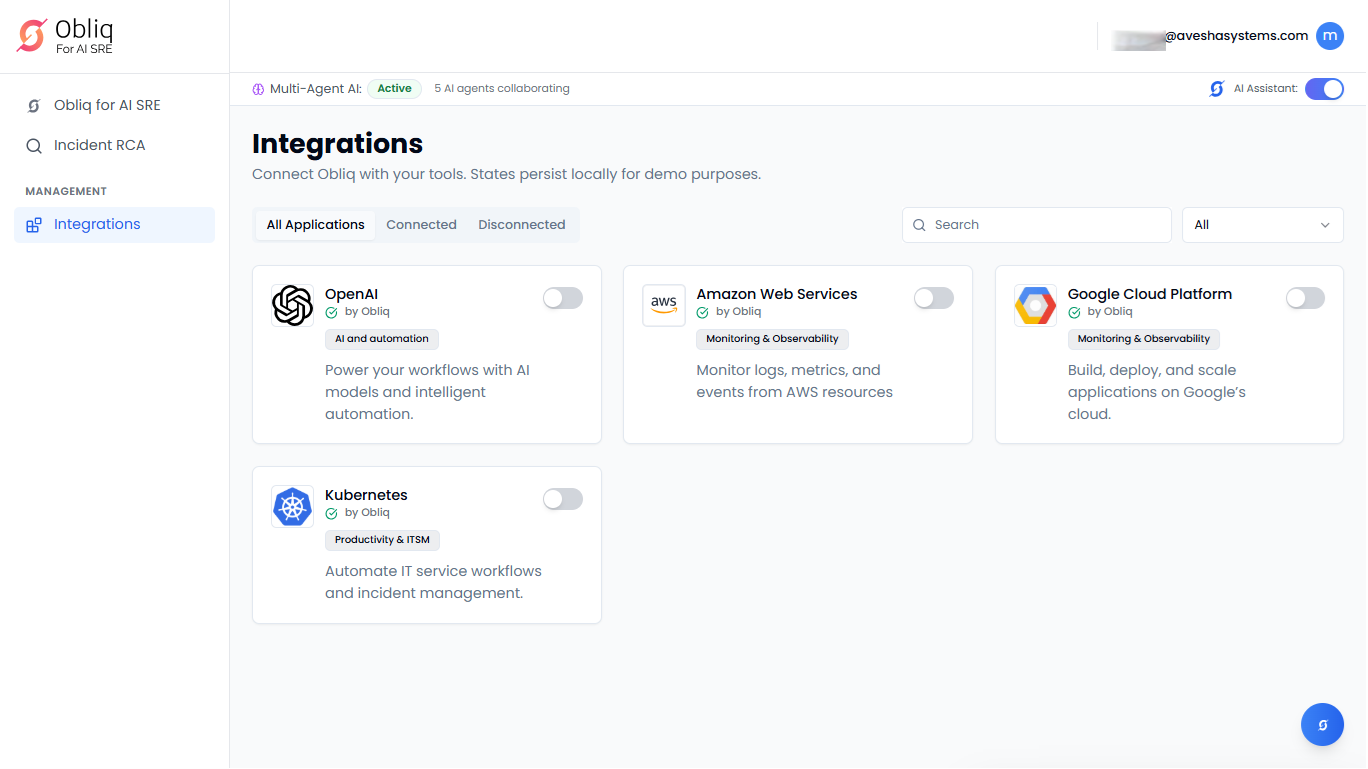
On the Integrations page, click Kubernetes.
-
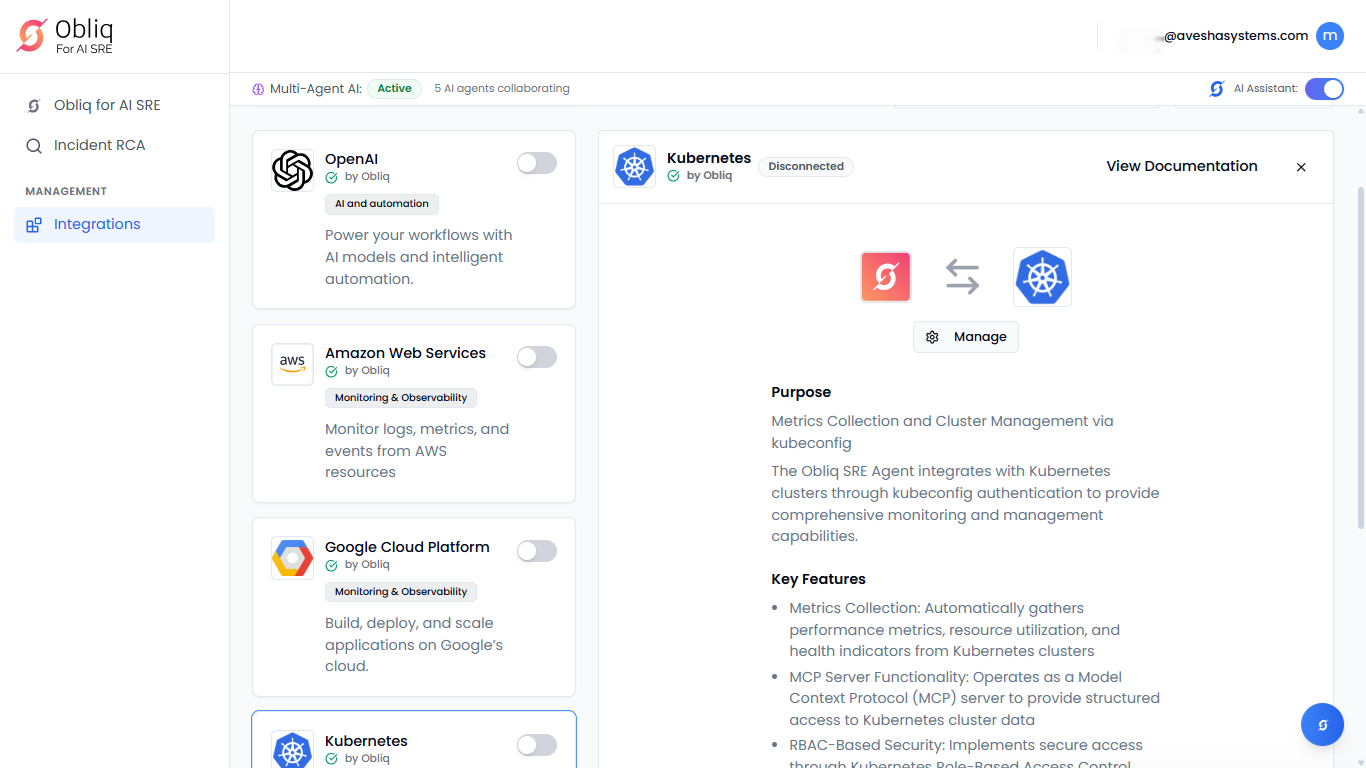
On the Kubernetes page, click Manage.
-
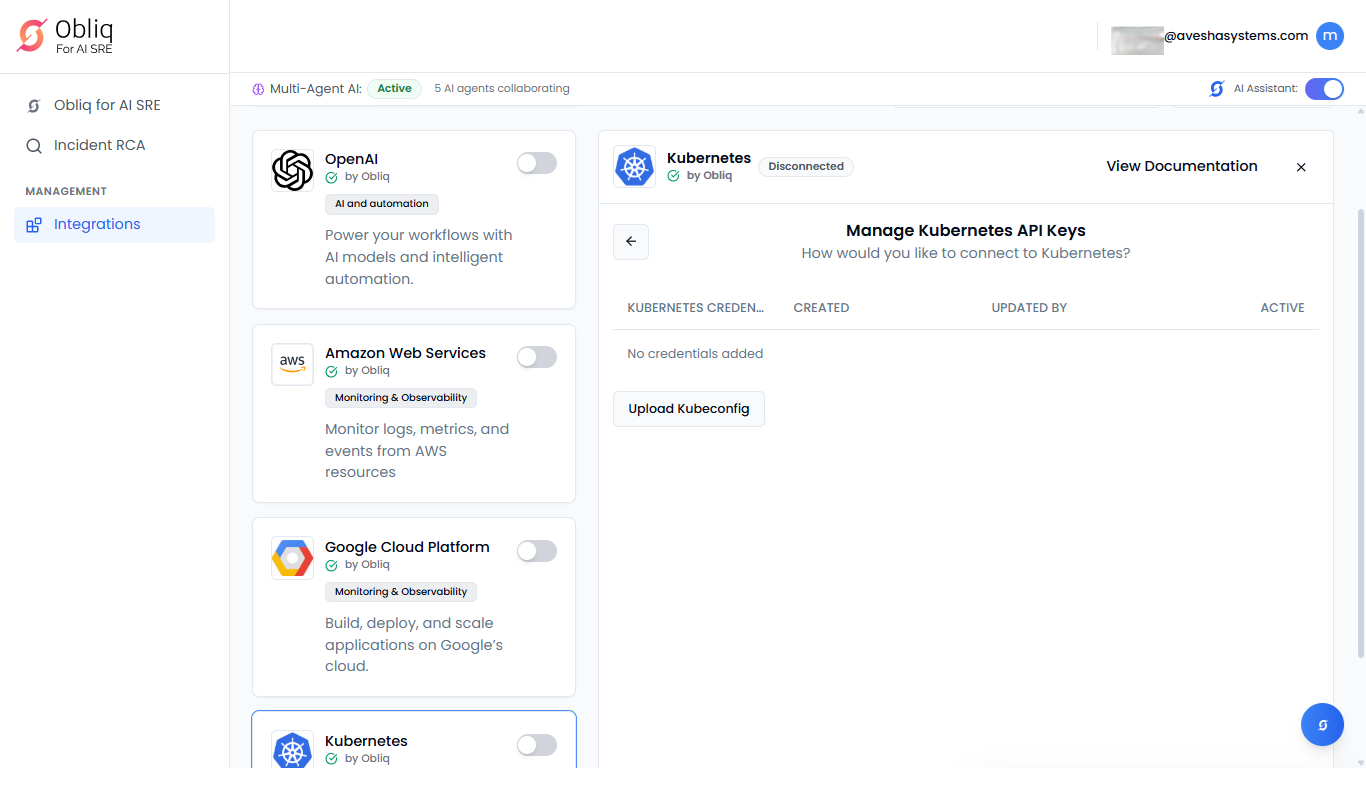
On the Manage Kubernetes API Keys page, click Upload Kubeconfig.
-
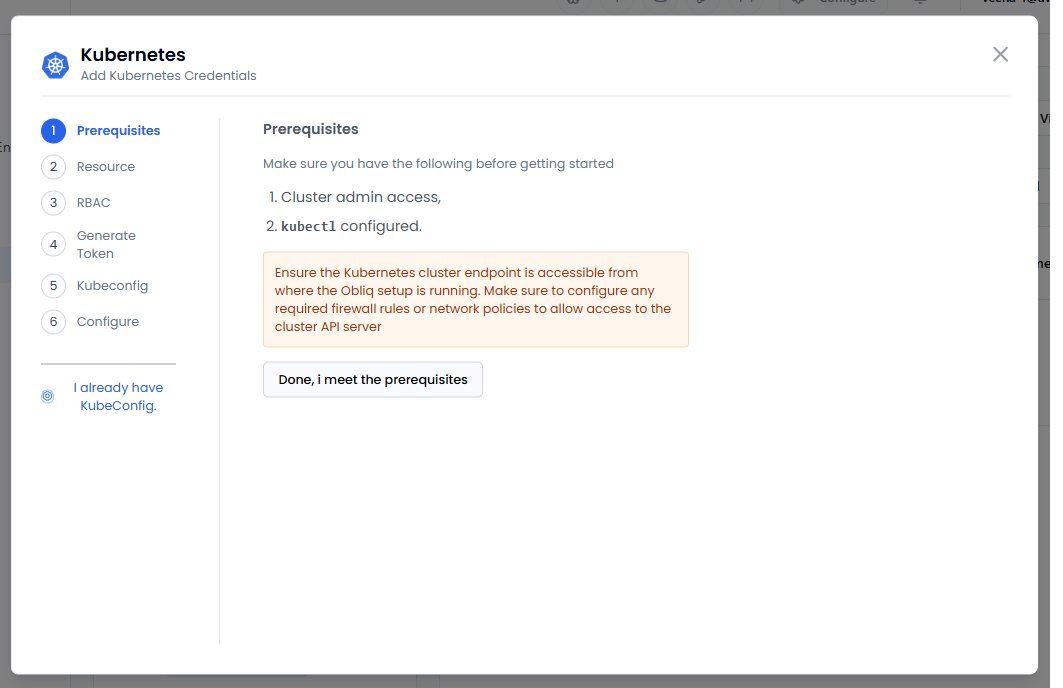
On the Kubernetes pane, the left sidebar contains the steps required for you to do before configuration. By default, you are on the first step, Prerequisites.
-
Under Prerequisites, the requirements are listed for you to meet. Set the requirements.
-
Click Done, I meet prerequisites to proceed to Resource.
-
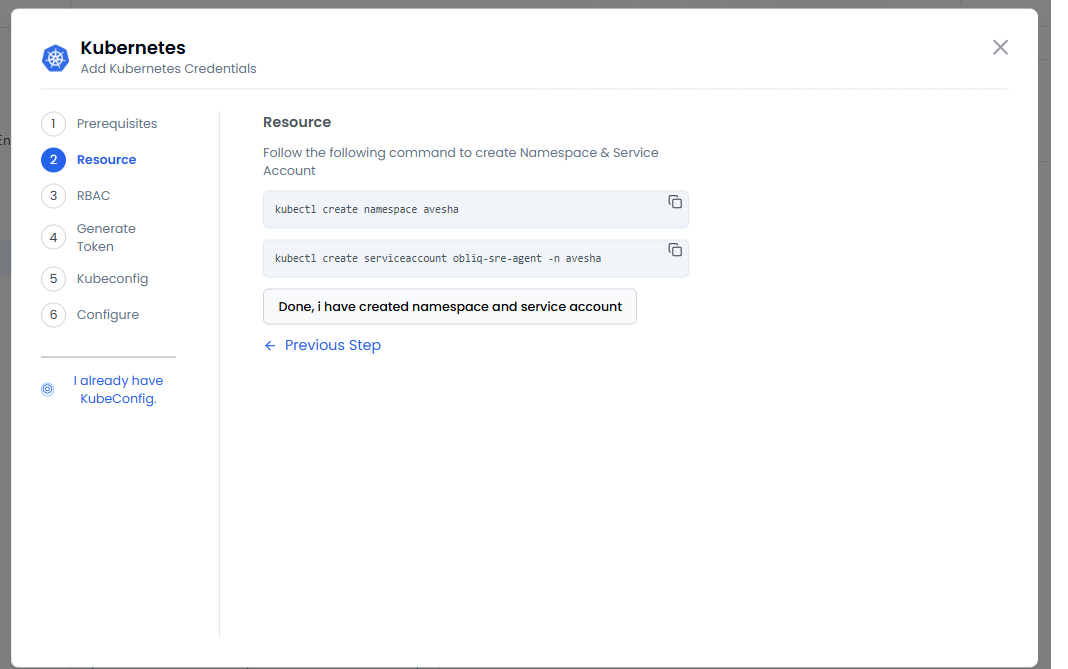
Under Resource: pane:
- Copy the first command and run it to create a namespace.
- Copy the second command and run it to create a service account.
-
Click Done, I have created namespace and service account to proceed to RBAC.
-
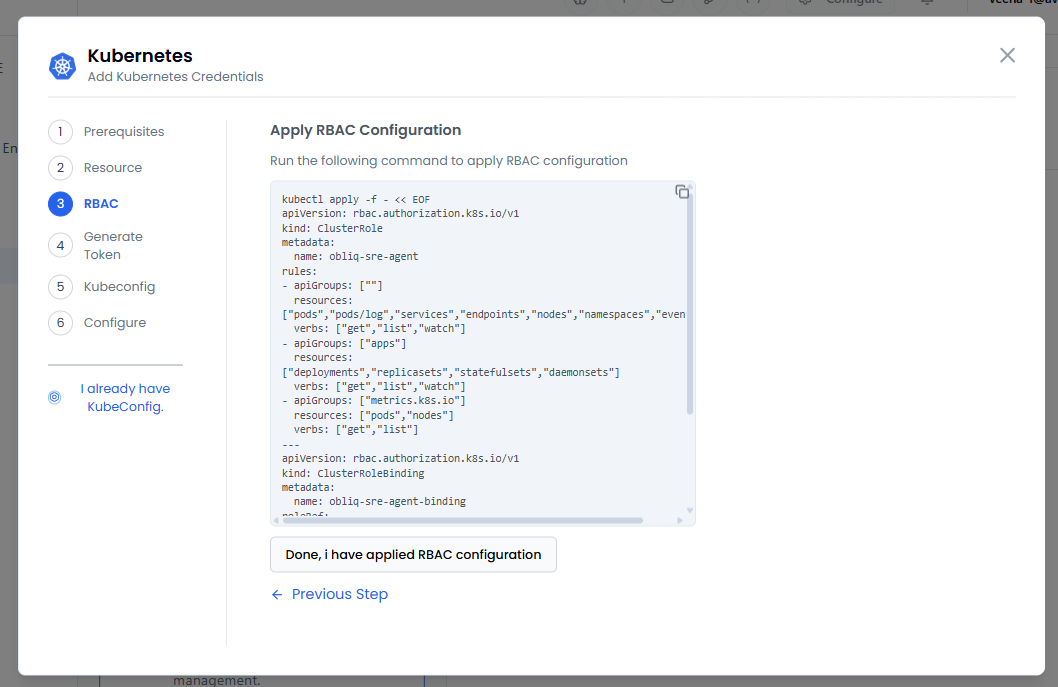
Under Apply RBAC Configuration, copy the command and run it to apply the RBAC configuration.
To know more, see RBAC.
-
Click Done, I have applied RBAC configuration to Generate Token.
-
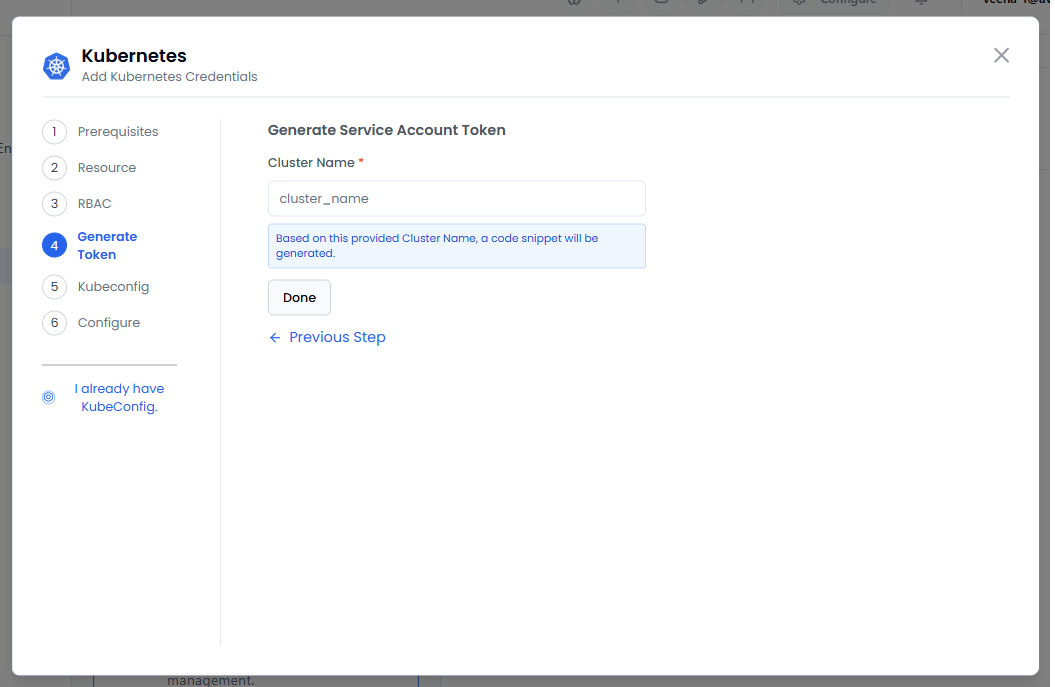
Under Generate Service Account Token, enter your cluster in the Cluster Name text box. Based on your cluster, the token is generated in the text box. Copy the generated token to use it in the configuration.
-
Click Done to proceed to Kubeconfig.
-
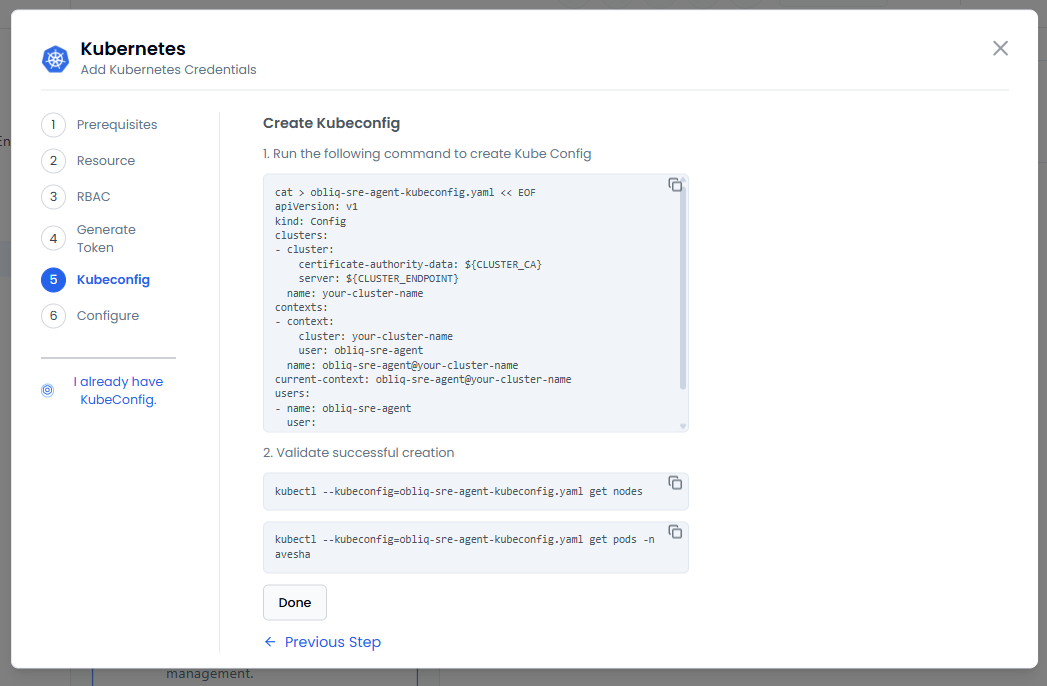
Under Create Kubeconfig:
- Copy the first command and replace the variables in it.
- Run the command to create a Kubeconfig.
- Validate the KubeConfig using the second command provided on this pane.
To know more, see Organizing Cluster Access Using kubeconfig Files.
-
Click Done to proceed to Configure.
-
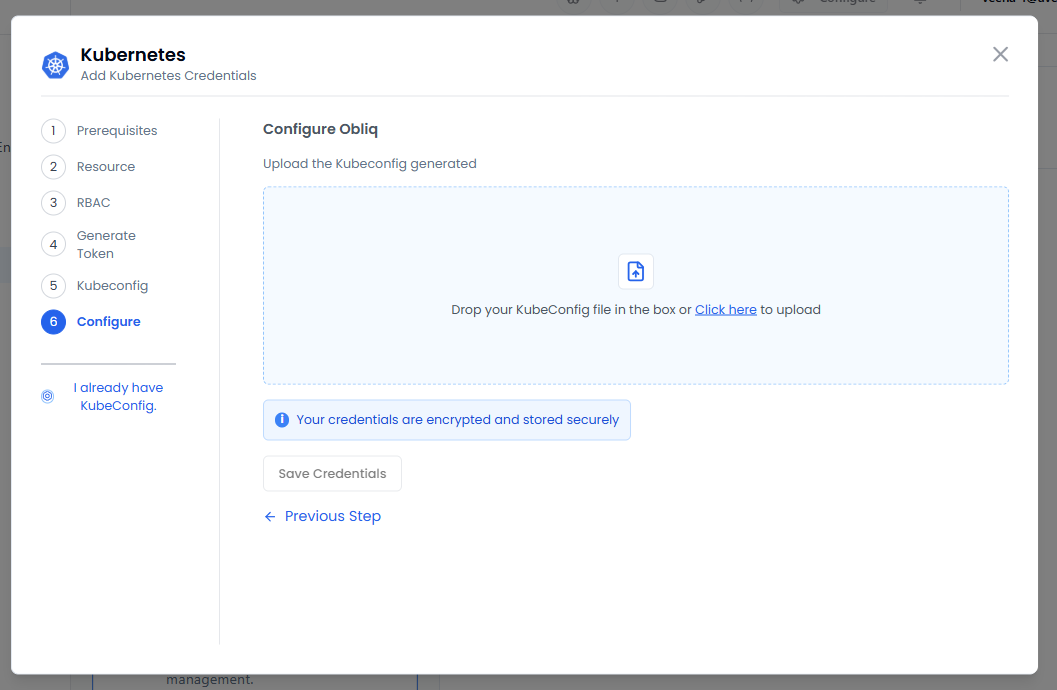
Under Configure pane, drop your Kubeconfig or upload it by browsing to its location.
-
Click Save Credentials to save the Kubernetes configuration.
Configure with an Existing KubeConfig File
-
Go to Integrations on the left sidebar.
-
On the Integrations page, click Kubernetes.
-
On the Kubernetes page, click Manage.
-
On the Manage Kubernetes API Keys page, click Upload Kubeconfig.
-
On the Kubernetes pane, the left sidebar contains steps. If you already have a KubeConfig file, then click I already have KubeConfig.
-
Under Configure, drop your Kubeconfig or upload it by browsing to its location.
-
Click Save Credentials to save the Kubernetes configuration.