Onboard Namespaces
Namespaces are logical partitions within a Kubernetes cluster that allow you to organize and manage resources. In EGS, namespaces are used to isolate workloads and resources for different users or teams. You can add onboard namespaces from connected clusters onto a workspace.
You can use the namespace added for a workspace if it is already added.
Onboard Existing Namespaces
To onboard namespaces:
-
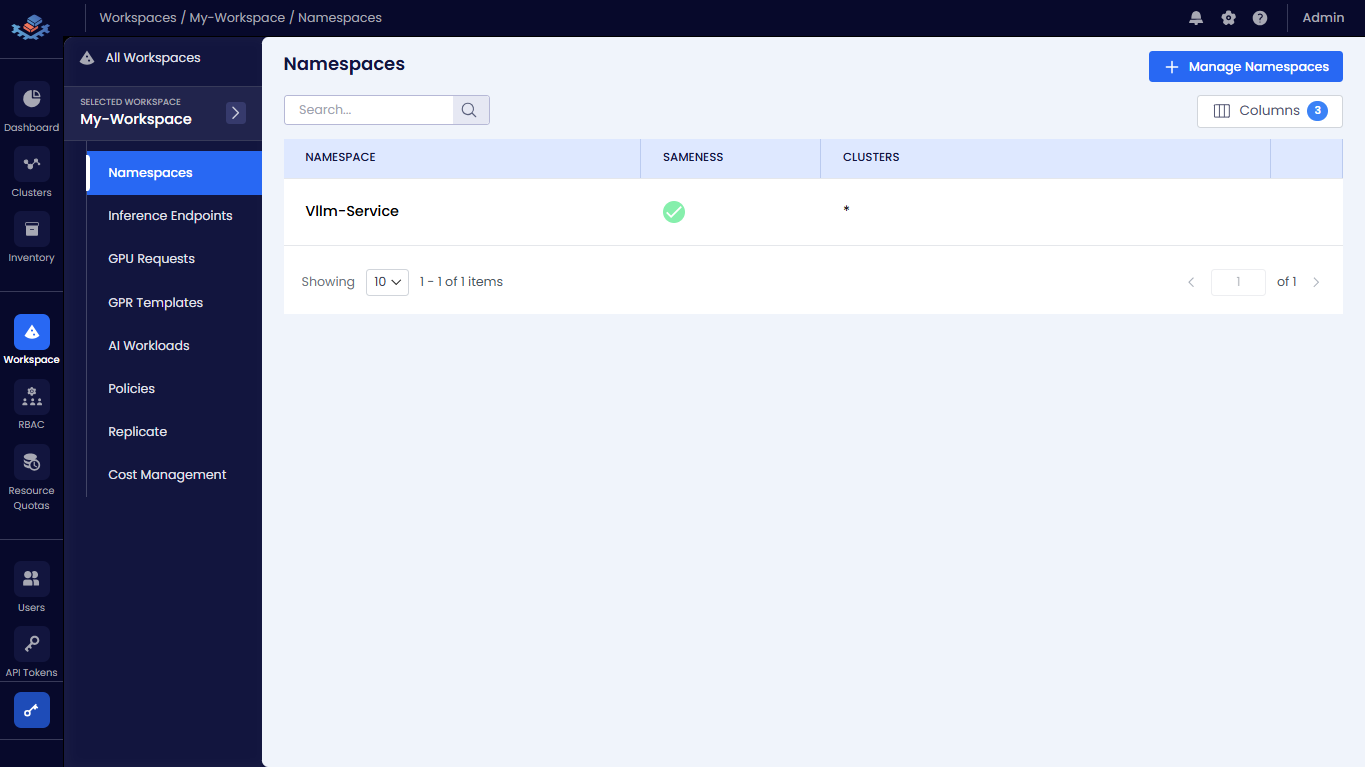
Go to Workspace on the left sidebar.
-
Under All Workspaces, select the workspace you want to manage.
-
In the menu of the selected workspace, click the Namespaces submenu.
-
On the Namespaces page, click the + Manage Namespaces button to onboard namespaces.
-
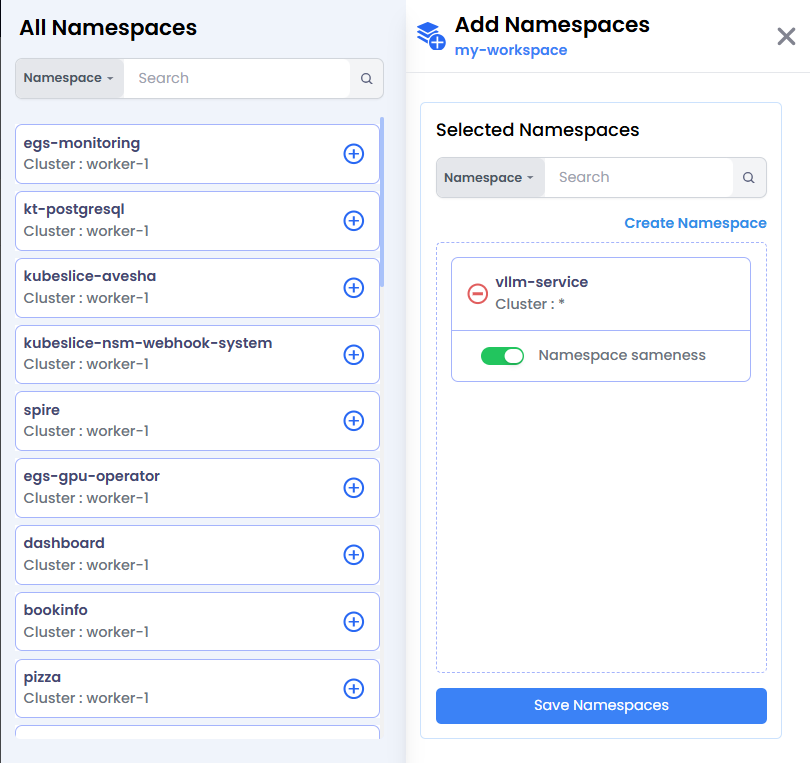
Under All Namespaces click the + sign of each namespace that you want to add. You can also search by namespace or cluster in the search bar.
-
The namespaces that you added appear under Selected Namespaces.
-
(Optional) Click Create Namespaces to create a new namespace. On the Create Namespace pane, enter the following details:
- Select the worker cluster from the Cluster drop-down list.
- Enter the name of the namespace in the Namespace text box.
- Enable the toggle button to enable namespace sameness.
- Click the Create Namespaces button.
-
Click Save Namespaces.
-
On the Namespaces page, verify the namespaces that you have onboarded for a workspace.
Offboard Namespaces from a Workspace
To offboard a namespace:
-
Select the workspace from which you want to offboard namespaces from, and click the Add Namespaces icon.
-
On the Add Namespaces tab, under SELECTED NAMESPACES, click the - icon next to a namespace you want to offboard.
-
Click Save Namespaces to offboard them from its associated workspace.
infoWhile the namespace offboarding is in progress, no operations on the workspace are allowed.